Configuring mods
Many mods can be fine tuned to your desires, this page describes the overall process.
There are two ways to configure mods:
- Using BepInEx Configuration Manager
- Manually editing the config files
Using BepInEx Configuration Manager
If you have it installed, you can press F1 (default, may be configured) in-game to open the configuration menu. It is recommended to restart the game after configuration changes.
Manually editing the config files
After starting the game with a mod installed once, a config file will be created, located at <Mad Island Folder>/BepInEx/config/<mod name>.cfg.
You can open this file with any text editor (e.g. Notepad, VS Code, etc), change the configuration as you desire, and save it.
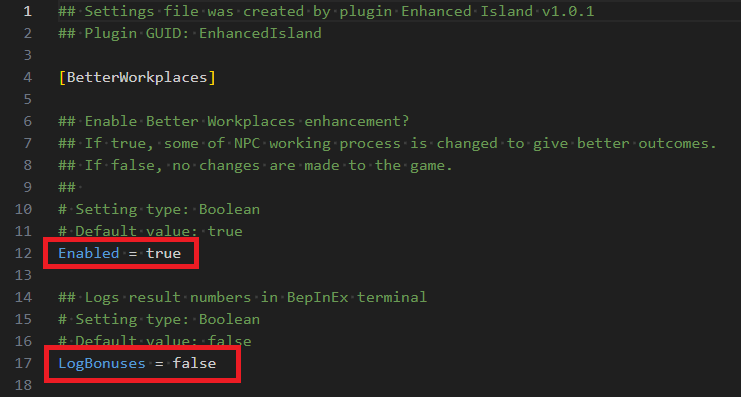
Lines starting with # are comments and will be ignored, you should focus on the normal
lines with a = sign. Only change the value after the =.
Usually the comments before it will explain what it does and how to set it.